


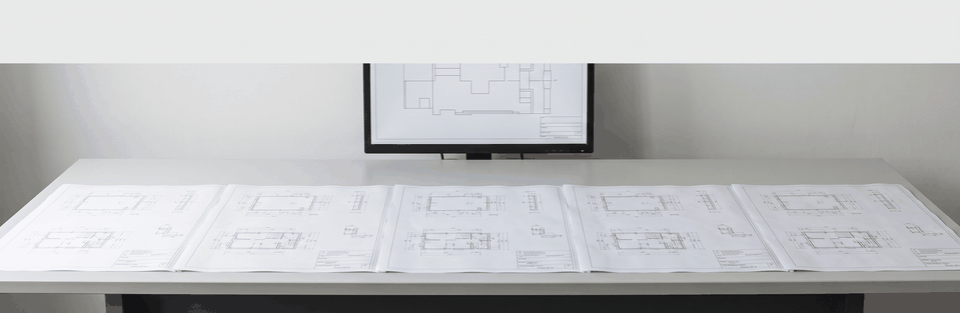
BricsCAD plugin for Multilingual Plant Schematics
For a manufacturer active in heating and plant engineering, we have built a BricsCAD plugin that translates plant schematics directly inside the drawing. It produces a separate DWG and PDF file for each target language and keeps the legend and related notes up to date automatically instead of rebuilding them by hand.
Which company did we build the BricsCAD plugin for?
The customer for this project is a manufacturer in the heating and plant engineering sector.
Its plant design work runs in BricsCAD and produces several layouts from a single model: a hydraulic schematic, a wiring diagram, a legend, and blocks with restriction notes and setting labels.
These schematics have to exist in several target languages at the same time, without redrawing the sheet for each one.
Every language version carries the same requirement for completeness: legend, restriction notes and setting labels must be correct and current everywhere, not only in the source language.
For the design team, this is a recurring task in day-to-day BricsCAD work, not a one-off case; it affects not single drawings but the entire set of hydraulic, wiring and supplementary layouts together.
How much effort does manual translation of plant schematics take?
Anyone who translates plant schematics by hand faces a repetitive task with a high potential for error.
Every label, every text block and every legend entry has to be checked and adjusted separately for every language version, while the schematic itself does not change.
With several target languages per drawing, this effort adds up with every additional language version.
Each manual adjustment is also another opportunity for a forgotten or outdated entry in the legend or in the blocks with restriction notes or setting labels.
The real challenge is therefore not translating individual words.
It is keeping the legend and notes complete and consistent across every language version, even though they are maintained separately in several places in the drawing.
For your project, that means: The more language versions a plant schematic needs, the more every manual update to them adds to the total effort.
How did we build the plugin directly in the drawing environment?
We started where the drawing itself is created: as a plugin directly inside BricsCAD, not as a separate program outside the drawing environment.
The Translate and Multi-Translate functions both work on the same model as the original plan.
For each selected target language, the plugin creates its own DWG file with a matching PDF, instead of one shared multilingual file.
This choice carries a trade-off: separate files per language can be distributed and archived independently, but any content change to the schematic requires a new translation run for every language version.
We also deliberately did not hard-code the list of available target languages inside the plugin, but load it from a central, synchronized data store.
This keeps the language scope extendable without changing the plugin itself; the available languages depend on the current state of that data connection.
A plugin like this is not an off-the-shelf product, but custom CAD development for one particular planning system.
Which step does the plugin remove from multilingual plan output?
Without automation, every language version of a plant schematic has to be worked through individually: relabeling text, reinserting the legend, and updating the notes by hand, one language at a time. The plugin removes exactly this pass from the workflow.
Using the Multi-Translate function, the plugin we delivered produces its own DWG file and a matching PDF for every selected language in a single run. The drawing does not need to be worked through language by language.
The legend and notes are not transferred by hand in this process; they are carried along and updated as automated building blocks. This means the error class of a forgotten or outdated entry in a single language version no longer occurs in this form.
In every language version, they come from the same automated source. The plugin has been in productive use at the customer.
For your project, that means: A plugin that automatically carries them across every language prevents exactly the kind of drift that manual upkeep creates.
Where are the limits of the plugin?
The plugin is not a standalone program: it runs inside an installed BricsCAD environment, on Windows only. That binding also means only a small, selected set of versions is supported, not the whole product line.
The same binding is why moving to a newer version requires an adjustment, and why the interface is only available in English, regardless of which languages the schematics are eventually translated into.
Which target languages are available is not fixed inside the plugin, but depends on a central, synchronized data store; without a current sync, only the most recently loaded languages appear. In return, adding a language means updating that data store, not the plugin.
The templates, blocks and logic for the heating circuits, legend and notes are tailored to this one manufacturer's planning system. For a different company with its own component library and layout rules, this would not be an off-the-shelf solution, but a foundation that would need to be adapted.
That focus is exactly what keeps the automation fast and reliable for the regular case: because the logic knows only one system, its building blocks run without manual work.
When does a plugin like this pay off?
Independent of this particular project, what matters is less the number of plant schematics than the ratio between repetition and language diversity. The more target languages a schematic regularly needs, and the more legend and notes must stay identical across them, the more an automated translation directly in the drawing pays off.
If a plan is only occasionally translated into a second language, the effort of building and maintaining a dedicated plugin logic for a company's own block library and layout rules often outweighs the benefit. What matters is not the size of the plant design work, but how regularly the same plan components are needed in several language versions.
The investment pays for itself through the number of translation runs, not through the size of a single project.
Discuss a BricsCAD plugin for your project
If your plant schematics need to exist in several languages on a regular basis, and you are looking for a solution that works directly inside your BricsCAD environment, tell us about your project through our contact page.
As an Autodesk Authorized Developer, we build AutoCAD plugins. Regardless of that recognition, we also build plugins for other CAD environments; for this project, that means BricsCAD. You can find further projects from our custom CAD development work in our references overview.
Frequently asked questions about BricsCAD plugins
Does the plugin replace the actual CAD design of the plant?
No. The plugin assumes an existing model in BricsCAD and takes over translation, PDF output and the automated building blocks for legend and notes. The hydraulic or wiring plan itself is still drawn by the design team.
Are the translated plans archived or managed automatically?
No. Every selected language is written out as a separate DWG with a matching PDF. How these files are then stored, versioned or shared afterwards lies outside the plugin's function.
Can the legend or a restriction block be updated on its own, without retranslating the whole drawing?
Yes. The legend, the restriction notes and the setting labels each exist as a standalone function in the plugin. They can be run independently of Translate or Multi-Translate, for example to update only the source language.
Does the plugin need a constant connection to a central data store?
Not for everyday work in the drawing: the plugin runs locally in BricsCAD. What it does need is an occasional sync with a central data store, so that language and block data stay current. A permanently open connection is not required.